Cursor Practice Project-04-Lightweight Meeting Management Tool (1)
Project Description
cursor practice project-04
Time spent: Approximately 10 hours
Cursor usage count: The project has too many complex modules that must be divided. Phase 1 consumed about 80 interactions.
This is a minimalistic meeting system designed to simplify meeting organization. It's tailored for users who prioritize efficiency and want to avoid cumbersome processes, with its core advantage being no registration/login required - ready to use immediately.
Lightweight architecture, flexible deployment: Completely abandons traditional databases, innovatively utilizing Seafile as the file storage backend. All meeting data (including content, participants, test scores, etc.) is saved as files, making the system architecture extremely lightweight with simple deployment and management.
Barrier-free participation experience: Accessible via a unique meeting link and password without any account needed. The system supports QR code quick check-in, and participants can provide feedback anytime before or after meetings, breaking time and space limitations to ensure continuous communication.
All-in-one functionality: Beyond basic meeting management, the system includes powerful online testing capabilities. Meeting organizers can easily import questions, participants answer online, and the system automatically records and calculates scores. This allows easy expansion to training sessions, workshops, and other scenarios requiring learning outcome evaluation.
Phase 1 Achievements
-
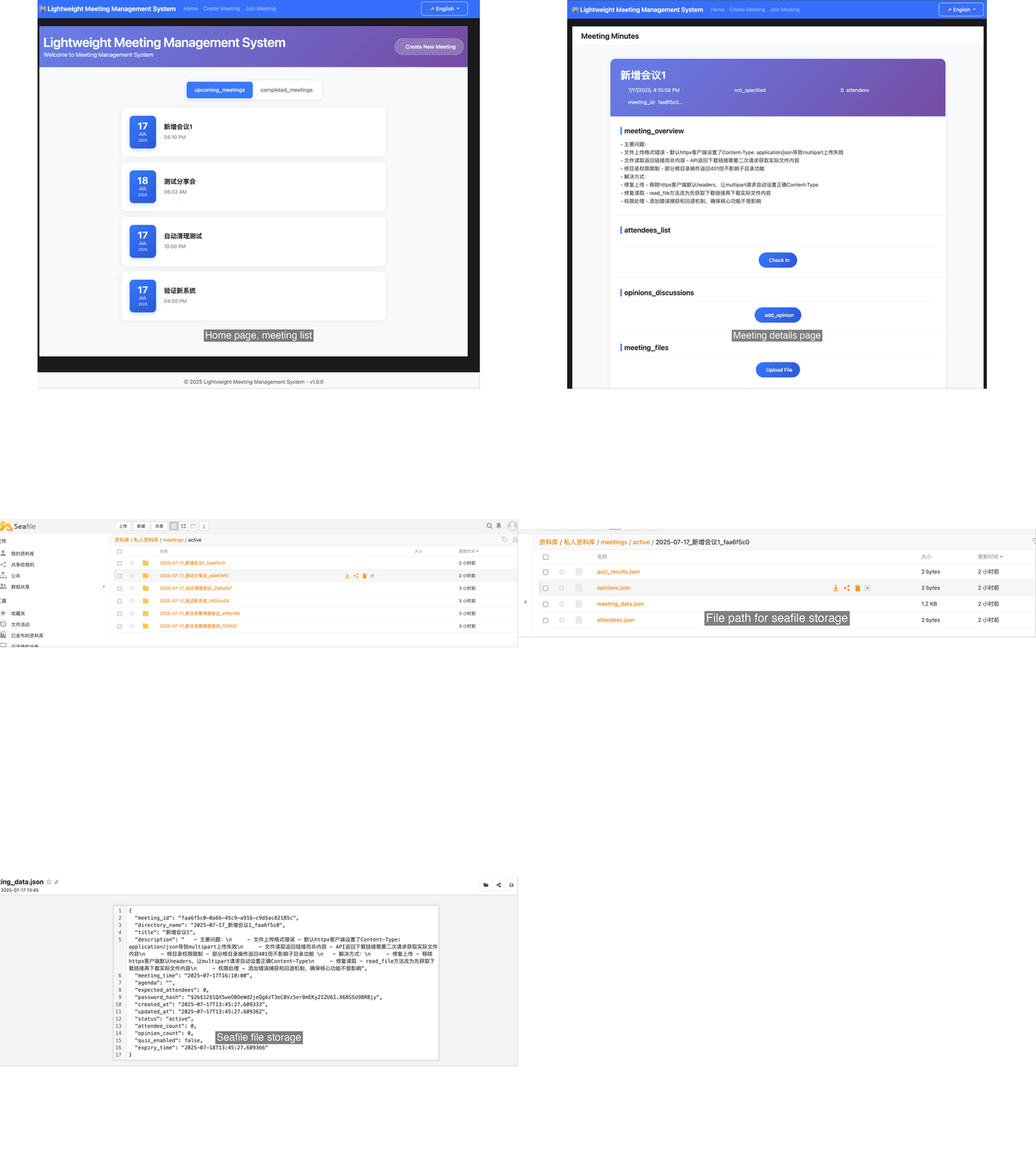
Phase 1 implemented features:
-
Basic framework setup
-
Integration with local Seafile
-
Meeting creation functionality
-
Web interface for meeting list and detail queries
-
-
Phase 2 (pending) features:
- Meeting check-in implementation
- Meeting feedback submission
- Automated meeting minutes generation
- Meeting test scoring functionality
Prerequisites
-
Cursor
- Version: 1.2.4
- cursor rules: Cursor Rules
- agent: claude-4-sonnet-thinking
-
Overall workflow:
- Set cursor rules -> Describe requirements -> cursor coding -> git version control -> debugging output
Technical Architecture
- Technology Stack
- Backend: Python language with lightweight frameworks like Flask or FastAPI.
- Frontend: Modern frontend frameworks (React, Vue) or native JS.
- Data Storage: Using Seafile's file management as backend storage instead of traditional databases.
- Data Flow and Storage Method
-
Meeting data: All meeting data stored as files in designated Seafile directories.
-
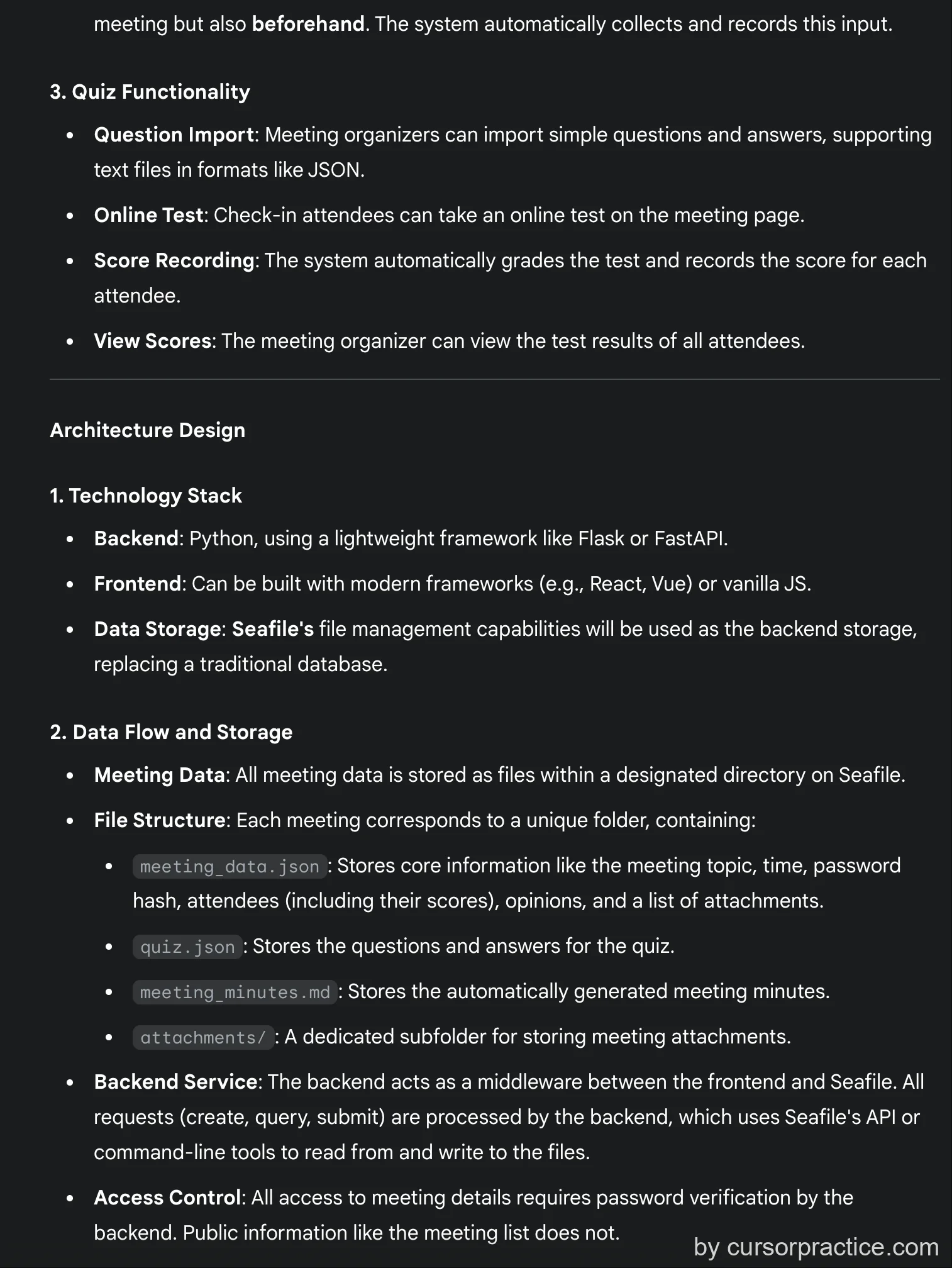
File structure: Each meeting corresponds to a unique folder containing:
- meeting_data.json: Stores core meeting information (topic, time, password hash, checked-in participants with scores, feedback, and attachment lists).
- quiz.json: Stores meeting-related questions and answers.
- meeting_minutes.md: Stores auto-generated meeting minutes.
- attachments/: Subfolder for meeting attachments.
-
Backend service: Acts as middleware between Seafile and frontend. All requests (creation, queries, submissions) are handled by the backend, which performs file operations via Seafile's API or command-line tools.
-
Access control: All meeting detail access requires backend password verification. Public information like meeting lists doesn't require passwords.
-
Issue Log
- Issue 1: Overly complex project with too many steps leading to inefficient coding. Modules couldn't connect properly. Developed interface first before debugging Seafile connection.
- Solution: Divide into multiple modules, develop each separately, then integrate.
- Issue 2: Seafile integration problems summary
- Main problems:
- Incorrect file upload format - Default httpx client set Content-Type: application/json causing multipart upload failures
- File reading returned links instead of content - API returned download links requiring secondary requests for actual file content
- Root directory permission restrictions - Some root operations returned 401 but didn't affect subdirectory functionality
- Solutions:
- Fixed upload - Removed httpx client default headers to let multipart requests automatically set correct Content-Type
- Fixed reading - Modified read_file method to first get download link then download actual content
- Permission handling - Added error catching and fallback mechanisms to ensure core functionality
- Main problems:
- Seafile version issues - Unknown version installed by others caused many debugging problems.
- Solution: Used cursor dialogue to query Seafile version before debugging.
- Persistent Seafile issue - Creating meeting folders would create an extra parent folder that couldn't be resolved.
- Solution: After wasting 30+ interactions, added functionality to delete the redundant parent directory.
Lessons Learned
-
For complex projects, always develop in modules rather than having cursor complete all functionality at once.
-
If a problem model persists, try switching models or starting a new dialogue.
Project Detailed Steps
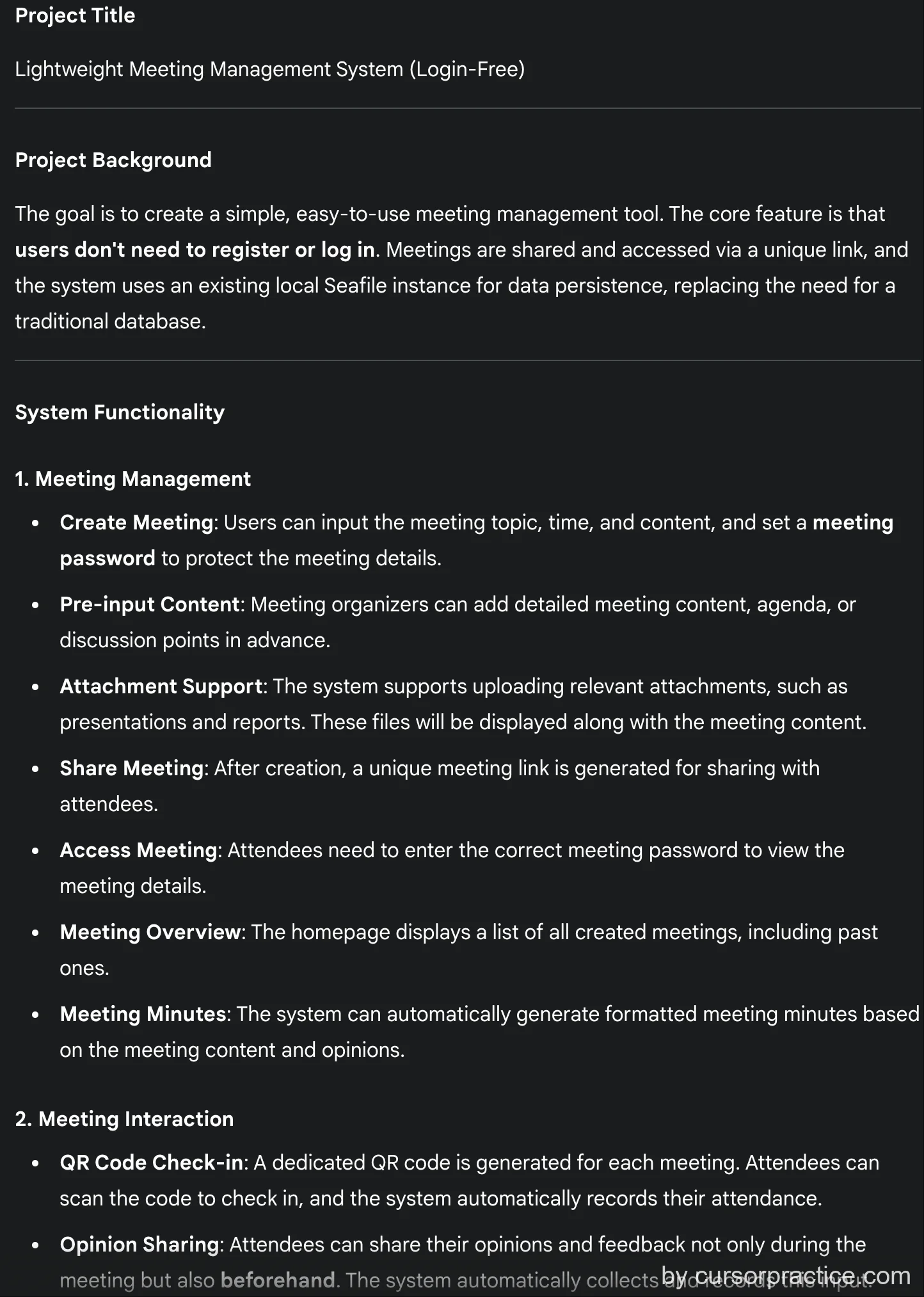
- Communicated requirements with LLM using Google Gemini 2.5flash model to obtain detailed requirements document
I want to create a lightweight meeting management system without user login. Users can create meetings and share meeting time/content via links. The system should support check-in (QR code), feedback submission, and auto-generated meeting minutes format.

Please help design the architecture. I want the backend as lightweight as possible, without databases (I have Seafile installed locally - can we use that?).
-> Obtained detailed requirements document, pj-requirement.md
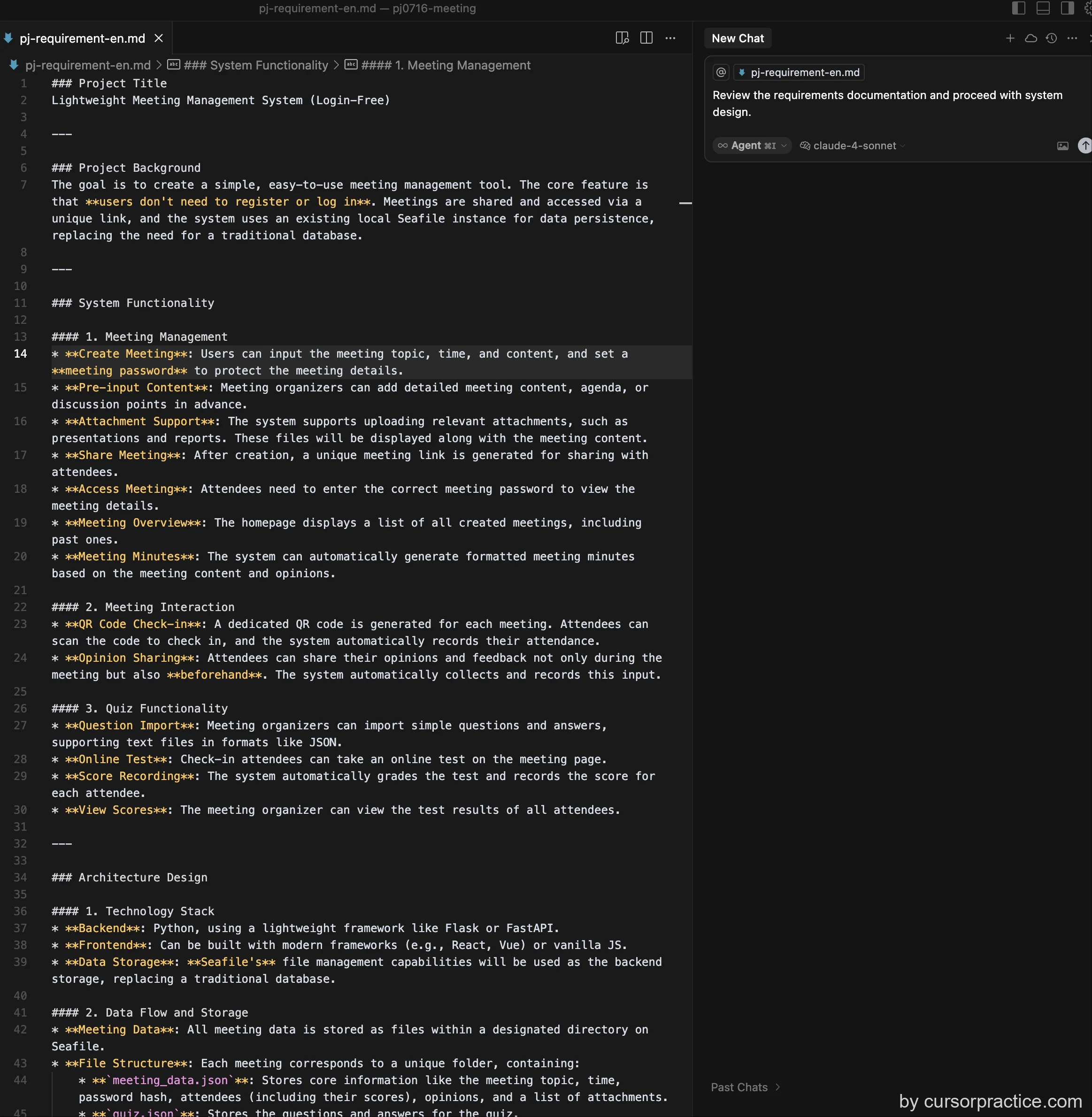
 2. In cursor, requested to review requirements document for development
```
Review the requirements documentation and proceed with system design.
```
Reviewed requirements document for system design
2. In cursor, requested to review requirements document for development
```
Review the requirements documentation and proceed with system design.
```
Reviewed requirements document for system design
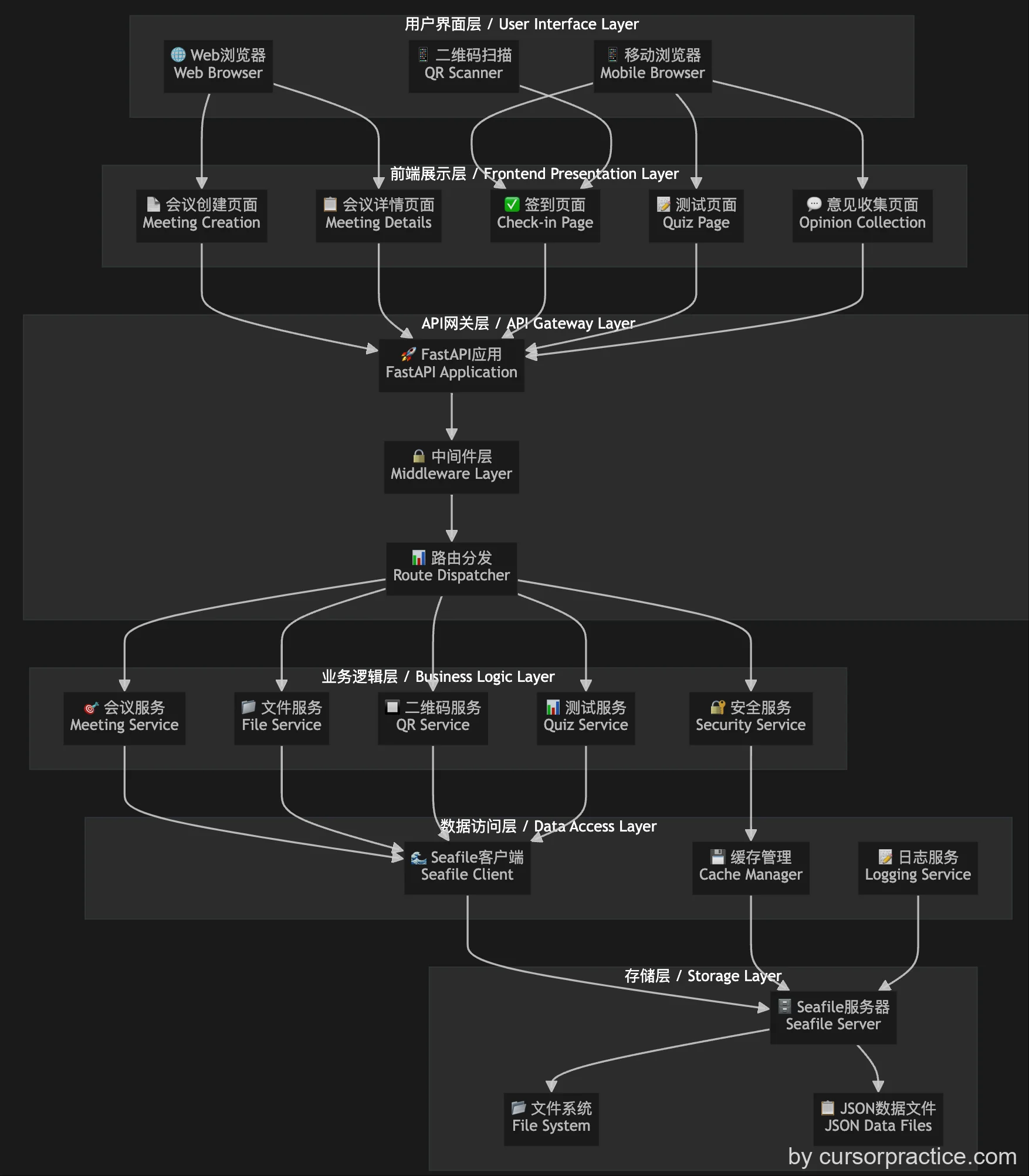
-
Completed environment setup and scaffolding installation.
-
Got stuck on Seafile integration, spent time debugging. Back-and-forth troubleshooting...
-
Still troubleshooting - recurring directory creation issue. Used recursive method but cursor couldn't identify the cause. Frustrating!!
-
Phase 1 completed
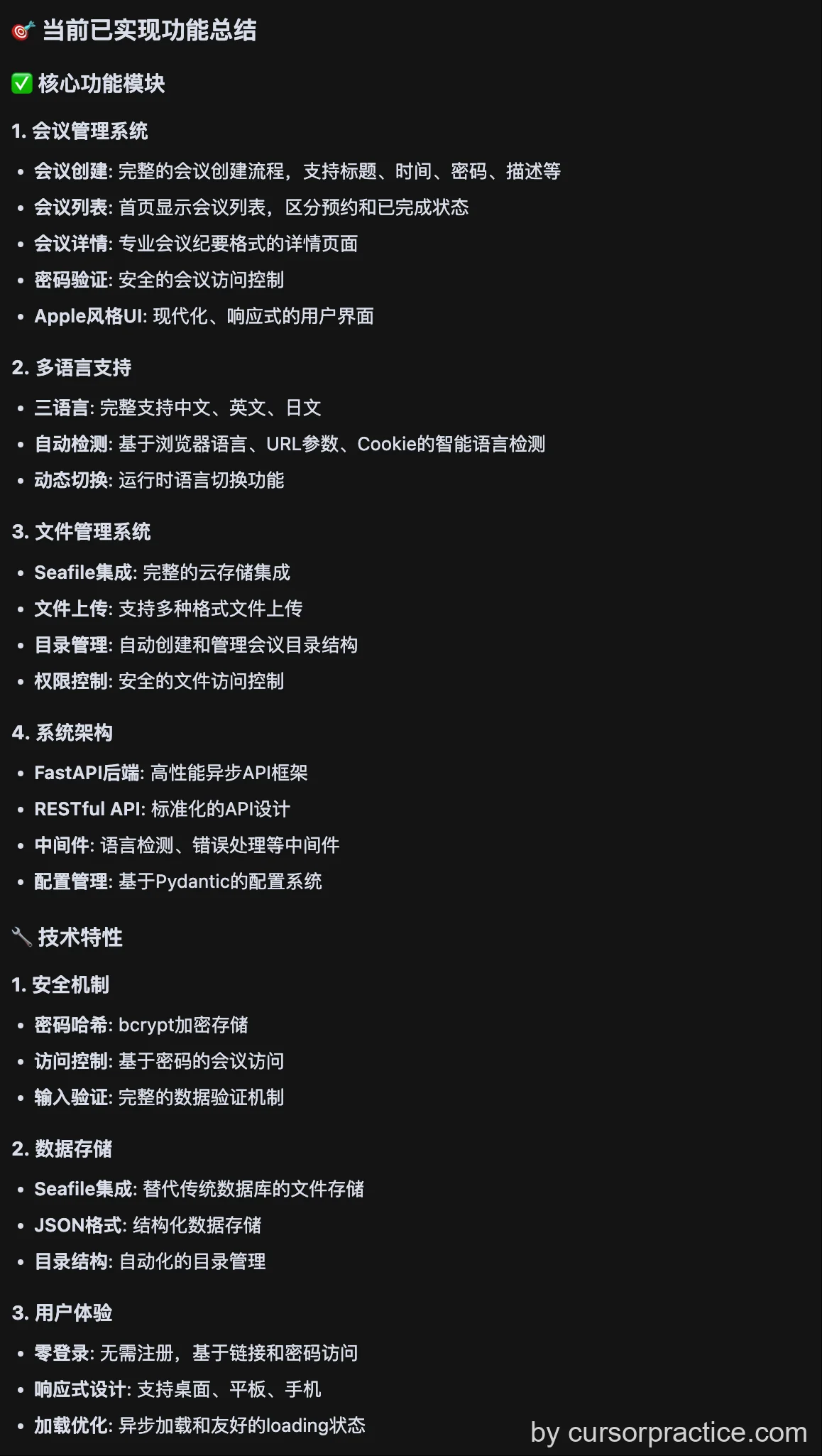
-
Some frustration... Will continue optimization tomorrow. See 《Cursor Practice Project-04-Lightweight Meeting Management Tool (2)》 for details.